Home › Styles › Make your own photocard
How to make a K-pop style photocard of your own photo
A K-pop style photocard is a small portrait card, usually about 55 × 85 mm with rounded corners, a photo filling most of the card and small details such as a serial number, a date or a sticker. To make one, crop a portrait photo to 55:85, add a thin border with those details, and export at 300 pixels per inch if you want to print it.
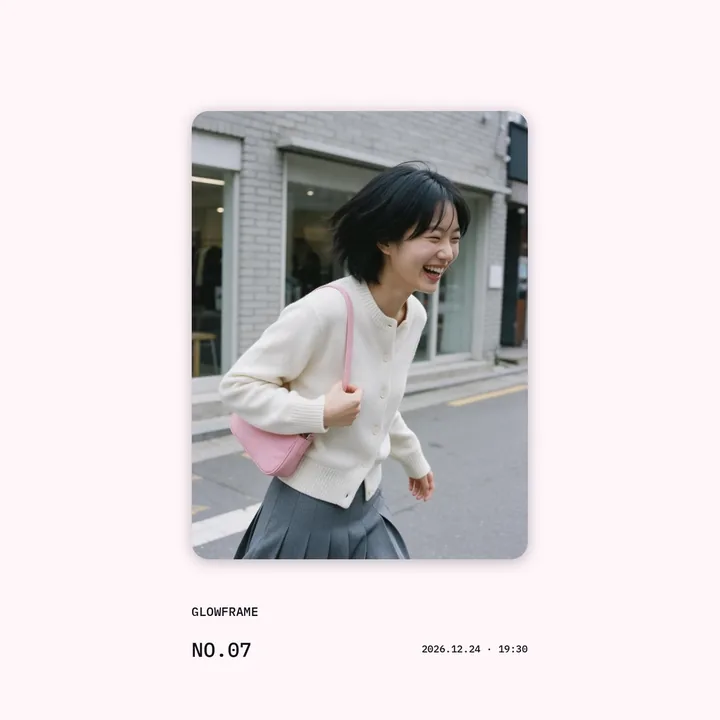
Step by step
You need: A portrait photo, A photo editor with frames, Photo paper or a print shop, if printing.
- Choose a portrait photo. Pick a half-body or face photo with some space above the head: photocards are tall, and the space leaves room for a sticker or a name.
- Crop to the card shape. Crop the photo to 55:85, the proportion of a 55 × 85 mm card. A 3:4 or 4:5 crop works for posting but will be cut when printed as a card.
- Add a frame and details. Add a thin white or holographic-looking border, then small details in a typewriter or mono font: a serial number such as No.0001, a date, or a short message.
- Add stickers last. Keep stickers to the border and corners so they do not cover the face.
- Export at print size. For printing, export about 650 × 1004 pixels or more, which is 55 × 85 mm at 300 pixels per inch, then print and round the corners with a corner punch.
Common questions
What size is a K-pop photocard?
Photocards vary by release, but about 55 × 85 mm is common, close to a credit card in portrait. Measure one you own if you need an exact match.
How many pixels do I need to print a 55 × 85 mm photocard?
About 650 × 1004 pixels at 300 pixels per inch. The photocard size calculator works it out for other sizes and resolutions.
Can I use an idol's photo or a group logo?
Make cards of your own photos. Official photos and logos belong to their owners.
GlowFrame's ratio tool has the 55:85 card shape, and its card frames add the border, date and caption. Find out more →
Updated 19 November 2026.